One minute
SSH Tunneling Tip
Have you ever found yourself needing to download a tool for the job on a machine that you can ssh into but is isolated from reaching out to the internet? Just tunnel your traffic to your location machine. Keep in mind this will be a bit on the slow side, but it gets the job done in a pinch!
Lab Configuration
- server.fqdn.tld with SSH listening on port 65022.
- client.localhost is my workstation with SSH listening on port 22.
!
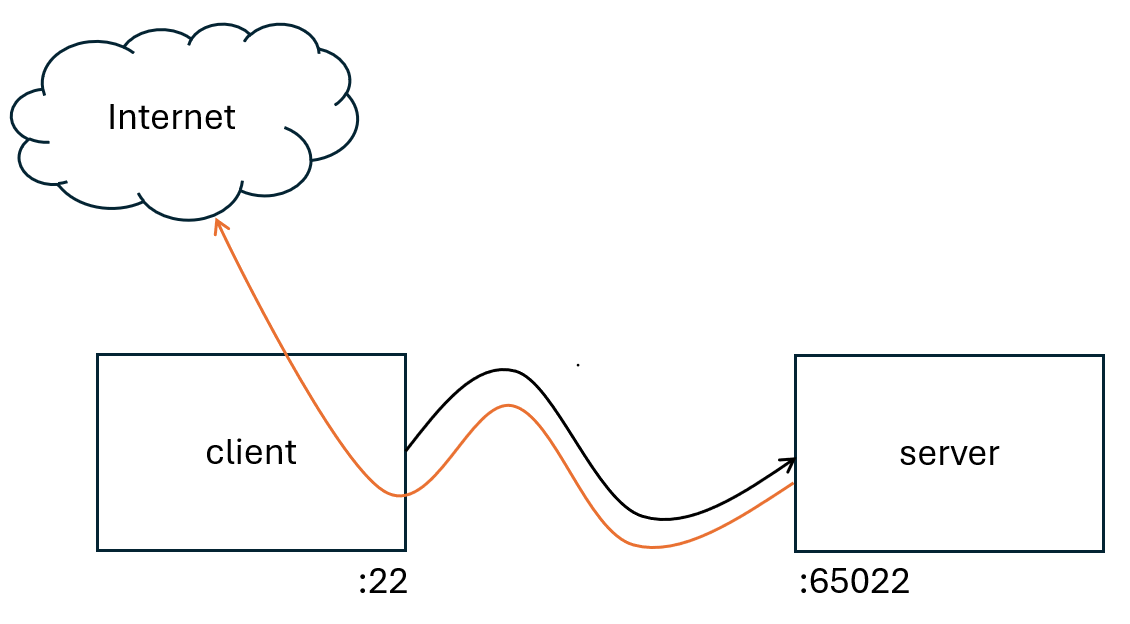 Internet Storm Center. https://isc.sans.edu/diary/31932
Connect to your server and create a revers tunnel.
ssh -p 65022 -i .ssh/privatekey -R 2222:localhost:22 USER@FQDN
Create a second tunnel in a different terminal from the localhost
ssh -p 65022 -i .ssh/privatekey USER@FQDN
In this session connect back to your host and use the dynamic port forwarding switch -D
ssh -p 2222 -D 1080 user@localhost
Back to the first session, create some environment variables to tunnel tools http/https traffic to our dynamic forwarding port 1080
export http_proxy=socks5h://127.0.0.1:1080
export https_proxy=socks5h://127.0.0.1:1080
check your IP
curl https://ipinfo.io/
You should see your localhost IP
[[References]]
Xavier Mertens. (2025, May 8). No Internet Access? SSH to the Rescue Internet Storm Center. https://isc.sans.edu/diary/31932